Colours RGB: How Red, Green, Blue Light Makes Every Color
RGB stands for red, green, and blue, the three primary colours of light used by nearly every screen, scanner, and digital camera. Mixing different intensities of these three channels produces every colour a typical display can show, from pure black when all channels are off to pure white when they are all at full brightness. Understanding the model helps you read colour codes, predict mixing results, and choose values that look right across devices.
What the RGB colour model actually means
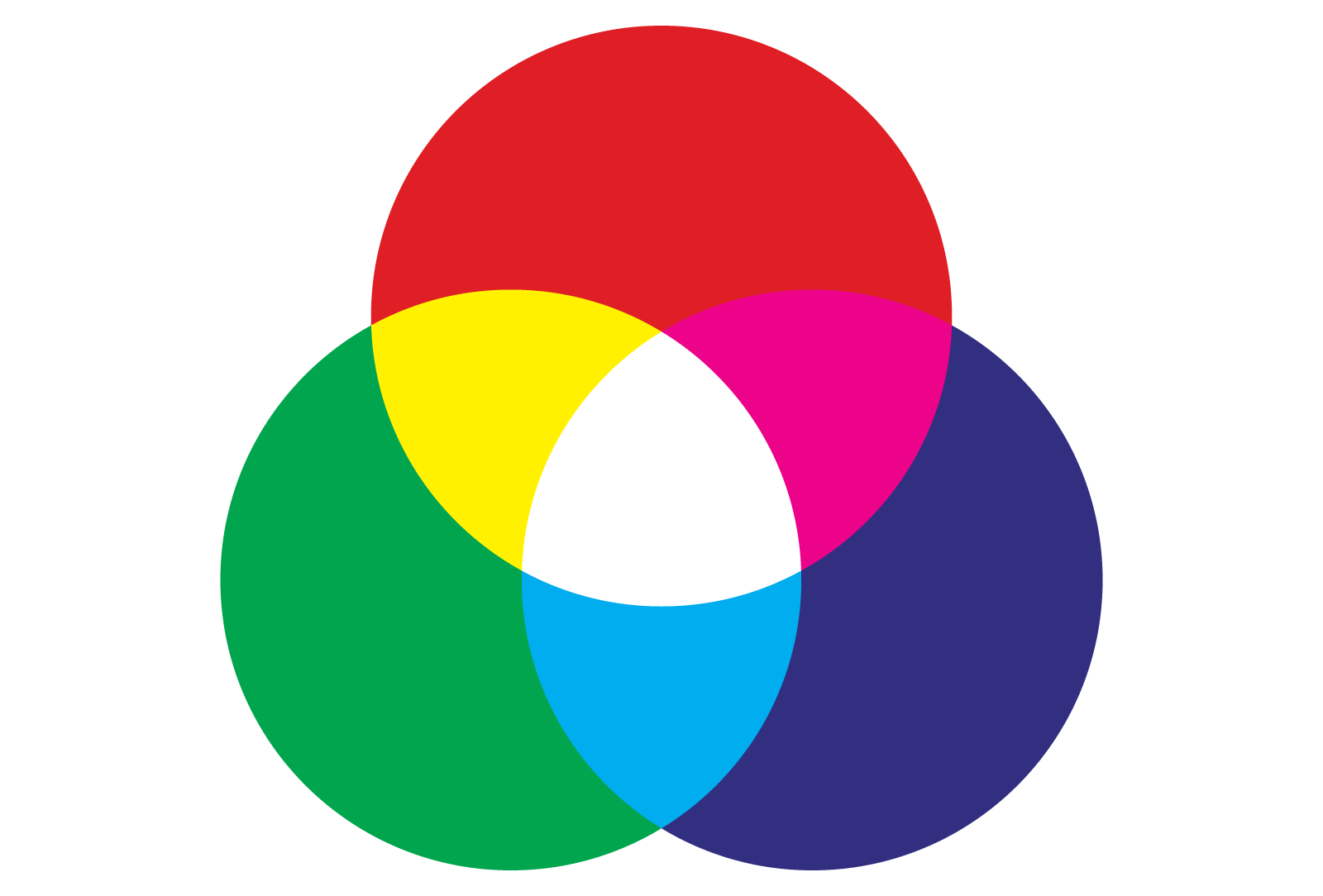
RGB is an additive colour model. That means colours are built by adding light together, the opposite of painting, where pigments absorb light and subtract wavelengths. When you add red and green light at full strength, you get yellow. Add green and blue, and you get cyan. Add red and blue, and you get magenta. Add all three at full strength, and you get white.
Each of the three channels is treated as a separate light source. The brain interprets the combined output as a single colour. This is also why the model matches how human eyes work: the cones that detect colour are most sensitive to long (red), medium (green), and short (blue) wavelengths.
Why red, green, and blue
The choice is partly biological and partly historical. Human vision has three types of colour-sensitive cone cells, with peak sensitivity in the regions we call red, green, and blue. Early display engineers picked primaries close to the cones, which let a display trick the eye into seeing a wide range of colours using only three light sources.
Channel ranges: 0 to 255 and 0.0 to 1.0
Every RGB colour is just three numbers, one per channel. The two most common scales are:
- 0–255 integers: each channel runs from 0 (no light) to 255 (full light). This scale comes from 8-bit storage: 2 to the power of 8 equals 256 possible values per channel.
- 0.0–1.0 floats: used in graphics libraries like OpenGL, CSS Color Level 4, and most image processing tools. 0.0 means no light, 1.0 means full.
For example, the colour rgb(255, 0, 0) is pure red on the integer scale, while rgb(1.0, 0.0, 0.0) is the same red on the float scale. Converting between them is simple: divide by 255, or multiply by 255 and round.
Common RGB notations you will see
The same colour can be written several ways. Knowing how to read each form saves time when working across design tools, code, and graphics software.
Decimal RGB
The classic triplet of three integers from 0 to 255. Used in CSS, HTML, and most image formats at the raw data level.
rgb(255, 99, 71)— tomatorgb(60, 179, 113)— medium sea greenrgb(25, 25, 112)— midnight blue
Hexadecimal RGB
Hex compresses the same three numbers into a six-digit string prefixed with #. The first two characters are red, the middle two are green, the last two are blue. Each pair runs from 00 to ff, which is 0 to 255 in base 16.
#ff6347— tomato (same asrgb(255, 99, 71))#3cb371— medium sea green#191970— midnight blue
A shorthand form exists for hex values where each pair has matching digits: #fc0 equals #ffcc00. This shorthand is common in HTML and CSS.
CSS functional notation
CSS supports two function forms. The traditional form takes integers or percentages:
color: rgb(255, 99, 71);
color: rgb(100%, 39%, 28%);
CSS Color Level 4 adds a space-separated form and an optional alpha channel for transparency:
color: rgb(255 99 71);
color: rgb(255 99 71 / 0.5);
How RGB colour mixing works
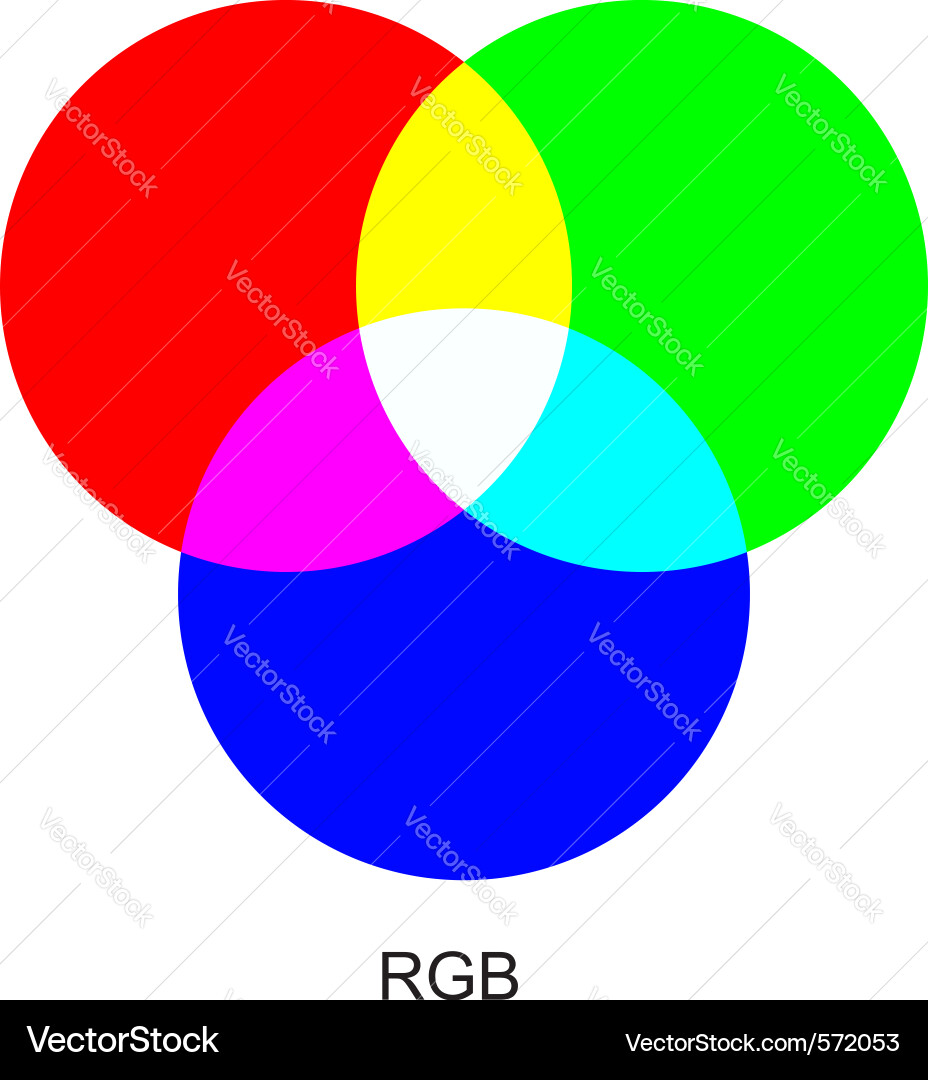
Because RGB is additive, mixing two full channels at maximum gives a secondary, and mixing all three gives white. The secondaries of the RGB model are the primaries of the CMY (cyan, magenta, yellow) printing model, which is one reason printers use CMY or CMYK instead of RGB.
Quick mixing reference
- Red + Green = Yellow
- Green + Blue = Cyan
- Blue + Red = Magenta
- Red + Green + Blue = White
- No channels = Black
This behaviour surprises people who learned colour mixing from art class, where red plus blue gives a muddy purple. Paint mixing is subtractive; light mixing is additive. The same channel values can produce very different perceived colours depending on the medium.
Where RGB is used
RGB is the default colour space for any device that emits light rather than reflecting it. The main places you encounter it:
- Displays: LCD, OLED, LED, and projector panels all use red, green, and blue subpixels to build every pixel.
- Digital cameras and scanners: sensors capture red, green, and blue intensity for each pixel.
- Web design: CSS, SVG, canvas, and WebGL all use RGB by default.
- Image formats: PNG, JPEG, WebP, and GIF store pixel data as RGB or RGBA (RGB plus alpha).
- Game graphics: real-time 3D pipelines default to floating-point RGB until the final write to the framebuffer.
RGB is generally not used for print. Print uses CMYK because inks absorb light. An RGB file sent to a printer is converted to CMYK before printing, and some bright RGB colours fall outside the CMYK gamut and look duller on paper.
Colour depth and how many colours RGB can show
The number of distinct colours an RGB system can produce depends on the bit depth per channel.
- 8-bit per channel (24-bit total): 256 values per channel, 16,777,216 colours total. This is the standard for web images and most displays.
- 10-bit per channel (30-bit total): 1024 values per channel, about 1.07 billion colours. Used in HDR displays and professional video.
- 12-bit or 16-bit per channel: common in RAW photography and medical imaging, allowing very fine gradations before banding appears.
More bits per channel means smoother gradients and less visible banding in skies, shadows, and skin tones. It also means more storage and processing power.
RGB versus other colour models
RGB is one of several ways to describe colour. The others you will meet most often:
HSL and HSV
Hue, saturation, and lightness (HSL) or value (HSV) rearrange the same RGB data into a form that is easier for humans to edit. Hue picks the colour family, lightness or value picks brightness, and saturation picks intensity. CSS supports HSL directly: hsl(9, 100%, 64%) is the same as rgb(255, 99, 71).
CMYK
Cyan, magenta, yellow, and key (black). Used for print. Not interchangeable with RGB without conversion, since each model can produce colours the other cannot.
Lab and LCH
CIE Lab is designed to be perceptually uniform: equal numerical steps look like equal visual steps. Useful for colour correction and accessibility work.
Tips for working with RGB values
- Keep alpha in mind: RGBA or
rgba()adds a fourth value for transparency, from 0 (fully transparent) to 1 or 100% (fully opaque). - Watch your gamut: a colour that looks vivid on a wide-gamut monitor may clip or shift on a standard sRGB display. Design in sRGB unless you have a specific reason not to.
- Use a colour picker: most design apps let you click a pixel and read its RGB values directly, which is faster than guessing from a hex code.
- Round-trip test: if a colour has to travel between systems (RGB to CMYK to RGB, for example), check that it returns close to the start. Out-of-gamut colours will shift.
RGB is simple at its core: three numbers, three lights, one picture. Once you know how the channels add together and how to read the common notations, the rest is just practice.